Make your PDF small
right from your iPhone
Tiny PDF compresses scanned documents and photo-heavy PDFs by up to 90% — privately, on your device, in seconds. No computer, no uploads, no waiting.

Why your PDFs get so big
PDFs bloat for a handful of predictable reasons — and they're exactly what Tiny PDF is built to fix.
Uncompressed images
Scanned pages and embedded photos are often saved at full camera resolution — massively overkill for a document you'll read on a screen.
Phone scans
Documents scanned with your phone's camera are usually the biggest offenders — easily 10-20MB for a few pages.
No compression at all
Many PDF creation tools skip compression entirely, leaving plain, uncompressed data sitting inside the file.
How Tiny PDF shrinks your files
Three steps, entirely on your iPhone or iPad.
1. Open your PDF
Import from Files, Photos, or the share sheet in any other app.
2. Tiny PDF compresses it on-device
Smart compression recompresses embedded images and scans — nothing is ever uploaded anywhere.
3. Preview, compare, and share
See the before/after size, then send the smaller file straight to Mail, Messages, or any app.
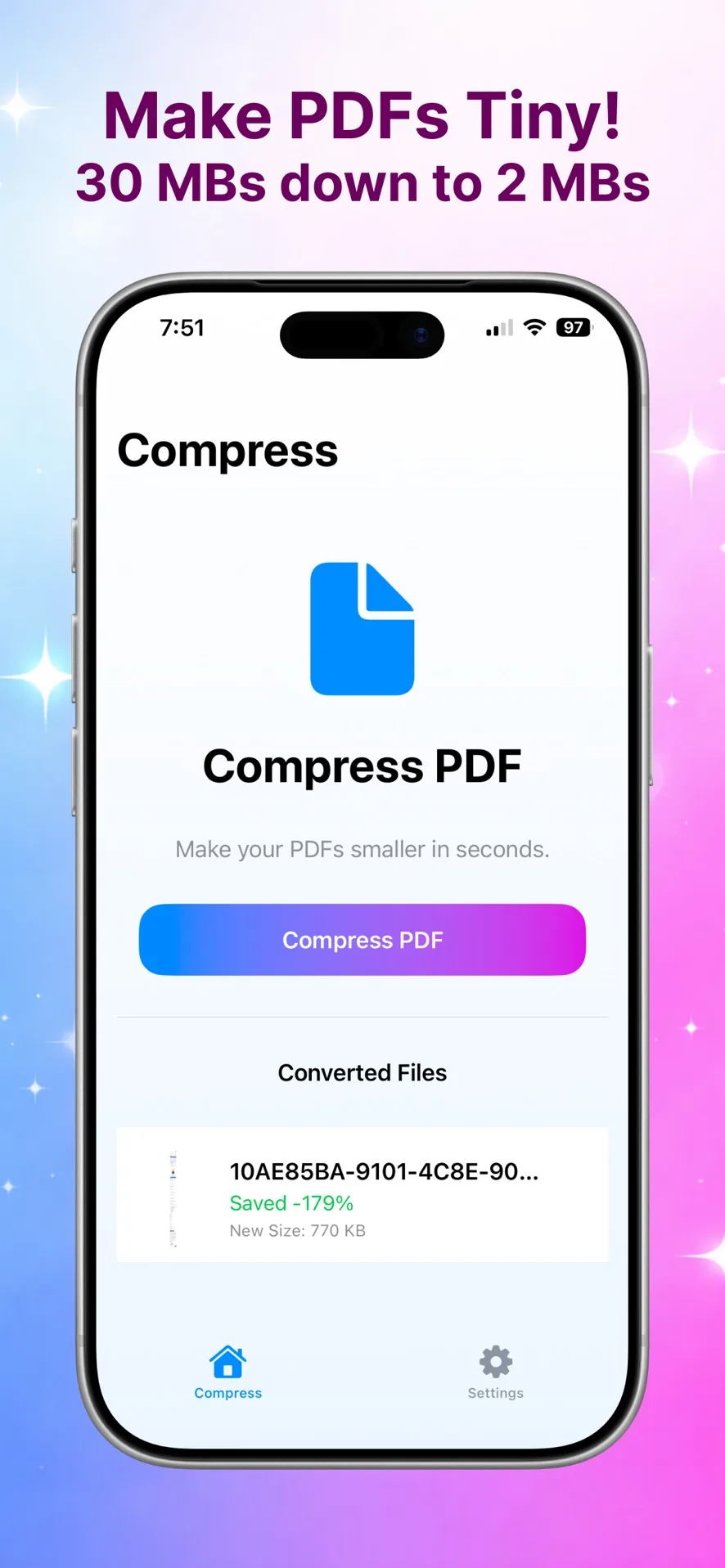
Compress PDFs like a pro, right from your pocket
Tiny PDF uses on-device smart compression to shrink even the biggest scanned PDFs — often by 70-90% — while keeping your files completely private.
- ✅ Compress image-heavy & scanned PDFs in seconds
- ✅ 100% on-device — your files never leave your phone
- ✅ Preview, compare sizes, and share instantly
Frequently asked questions
How much smaller will my PDF get?
It depends on the file, but scanned and photo-heavy PDFs are often reduced by 70-90% since Tiny PDF recompresses the embedded images directly, on-device.
Is Tiny PDF free?
Tiny PDF is free to download and try. A subscription unlocks unlimited compression.
Is it safe to compress a PDF with Tiny PDF?
Yes. Compression happens entirely on your device — your PDFs are never uploaded to a server.
Does Tiny PDF work on iPad?
Yes, Tiny PDF is a universal app that works on both iPhone and iPad.
More handy utility apps from our studio
All built by Talk or Not, Inc. — simple, private, on-device tools.

Carry PDF compression in your pocket
Stop emailing yourself huge scans. Tiny PDF makes them small, right on your iPhone or iPad.
Download Tiny PDF Free